
Briefing on the Dataset…
Total Number of Rows: 289,377
See pdf attachments on the website for more information about disposition codes, exclusions, etc.
Tools: Excel 2013 and 2016, SQL Server 2014
Note: I am not showing all of the code I used for this project; however, I included the code for creating the tables and creating the connections between tables. “Looking Back:” is a note that I put in to remark on something I may do differently in the future, or a critique I had about the shortcomings of a method I used.
The first thing to do is what all data scientists spend close to 80% of their time doing, cleaning up the data…. I thought the image of the pillow my dog destroyed was a great visual of the chaos that could be present prior to the cleaning up of the data. Plus, the cage has the structure of a traditional table making the metaphor even more meaningful.
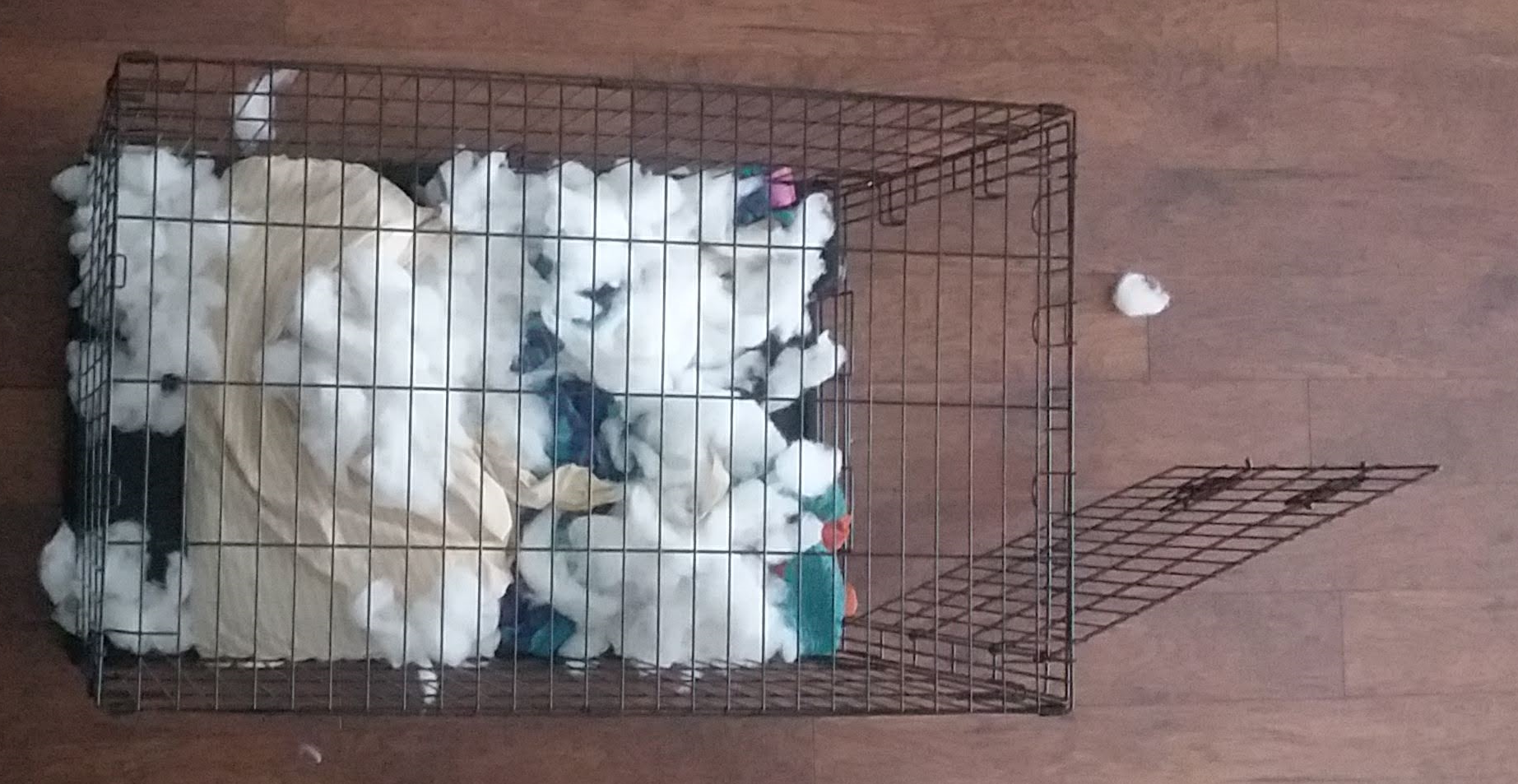
Time to clean…..
In order to do this, we will first get rid of all the incidents that did not result in a response from the Cincinnati Fire Department (CFD). One of the pdfs on the page where the data is located has the Disposition_Text column titles for these exclusions.
Next, I need to get rid of all the blank rows I created by deleting all those rows by filtering the results that I need to delete and deleting them. After cleaning the dataset, we have a total of 258,366 rows/tuples. I removed a total of 31,011 rows.
After that, I need to change the format of the time because I want to have the MM/DD/YYYY HH:MM:SS format split so I have the date and time of day in separate columns. I will do this using the Text to Columns function in Excel. I was successful in getting the date split using a space delimiter, but I couldn’t get the time and AM/PM rows to merge in a time format, so I am going to make this change in excel.
SQL Import:
Now I am going to import the dataset into SQL, however, I the automatic datatime datatype SQL is pre-selecting for all data in the date columns, so I am changing the data type to date(), time(), and varchar(2) for my MM/DD/YYYY, HH:MM:SS, and AM or PM formats respectively. The code below shows how I changed the column (Looking Back: I realize it is bad practice to change the data type without first testing to see what it would look like in a dummy table and running a calculation to ensure I have kept all of my values).

Creating a Star Schema in SQL:
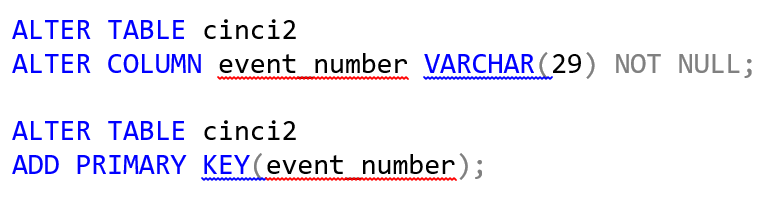
After altering cincifire table, I created a new table to fix the single duplicate EVENT_NUMBER entity that I found by creating a new column that combined BEAT and EVENT_NUMBER. I stored this information into the cinci2 table.
Then, I needed a primary key for this table, which would operate as my fact table, so I went ahead and created one by first altering the column event_number (EVENT_NUMBER+BEAT) by making it NOT NULL, and then running the code to make it a primary key. The construct ideas of my star schema were borrowed from Building the Data Warehouse by William H. Inmon.
Why create a primary key?
The short answer is to uniquely distinguish each record/tupule from the other. For the sake of simplicity, let’s imagine we have a table for employees in our company, and let’s say we have ten attributes for the columns and we have 5,000 employees. If we used the full name of every employee as their id, we may have duplicates, e.g.,
John Smith is quite common. This creates a problem especially if our table is representing personal information about each of the employees. So, let’s say one of the attributes is salary, if a new hire jumps on board and their name is John Smith—how would we enter him into the table? Any time this dataset is referenced, both John Smith’s would pop up, and if data is being auto-populated for each employee that would create a huge problem if the reference id is “John Smith.” The resulting consequence would most assuredly be two John Smiths in the HR office asking why their salary keeps fluctuating when they look at their private information. The takeaway lesson here is when there are not unique ids as primary keys, chaos ensues, and so let’s apply that lesson to my table, cinci2. I want to make sure the Cincinnati Fire Department knows that each event was separate from the next. In reality, this information is being updated in a giant dataset, so my SQL schema that I am creating is not a live connection. The dataset is updated regularly, so if you were to try and do the same schema that I have created, your tables would be different because I pulled the data at a different point in time. So back to creating a primary key…
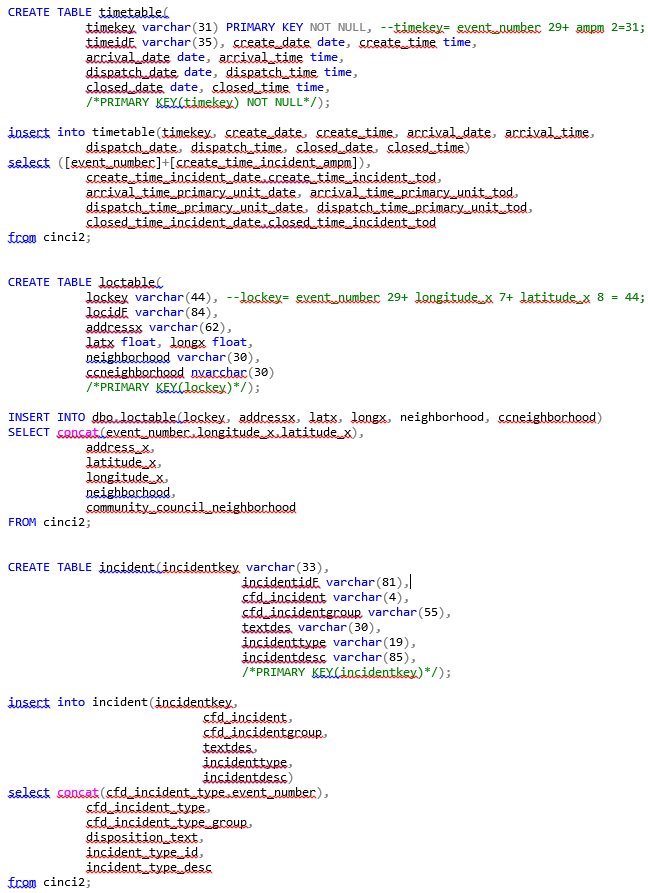
Now, I will create the dimensional tables. If I am doing this correctly, I have broken these up into 3rd normal form. The tables I will create are in the following order: timetable, loctable, and incident. The time dimension is present in timetable; location dimension is in loctable, and the incident information is within incident. Here is the DDL create table query along with the DML insert table query for each corresponding table.
Next on the list is foreign keys! We need to link the dimensional tables to the fact table, cinci2, so what we will do is use this DML query for the fact table.
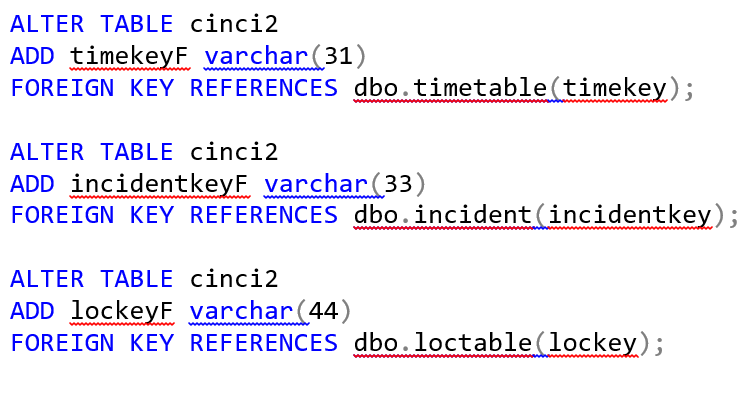
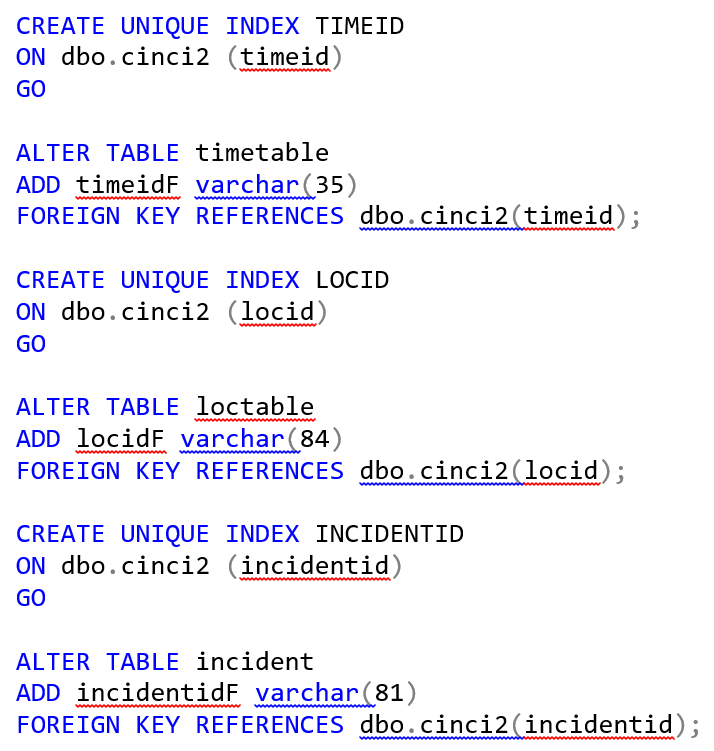
What about indexing the dimensional tables? Here is the code I used to index the dimensional tables so that each dimensional table has a foreign key referencing the fact table.
Finally, I had created a star schema. 🙂 Below you will see the database diagram used to portray the star schema.


Looking back: I noticed quite a few holes in my method for creating the tables. The main thing I focused on was the integrity of the data which was put to risk due to some of the methods I used to organize the datasets. Such as the following: 1. I would have made sure to run a query that displayed what the data would look like before I made any changes to the data type. 2. I would like to have used a function on the date category to make sure I wasn’t missing any data characters (a calculate function for the number of characters actually present in the column in total (not including the blanks), versus changing the data type and risking losing some important data.
Here is a complete copy of the code I used to create a Star Schema in SQL: https://github.com/sterlingn/Cincifiredeptanalysis/blob/master/DateAset.Fire.sql
These are the materials I used to understand how to go about creating this star schema: Building the Data Warehouse by William H. Inmon and Microsoft’s very own sql docs page docs.microsoft.com/en-us/sql/?view=sql-server-2017.
Thank you for reading and please feel free to leave any comments.
~Nate Sterling
 DateA Set